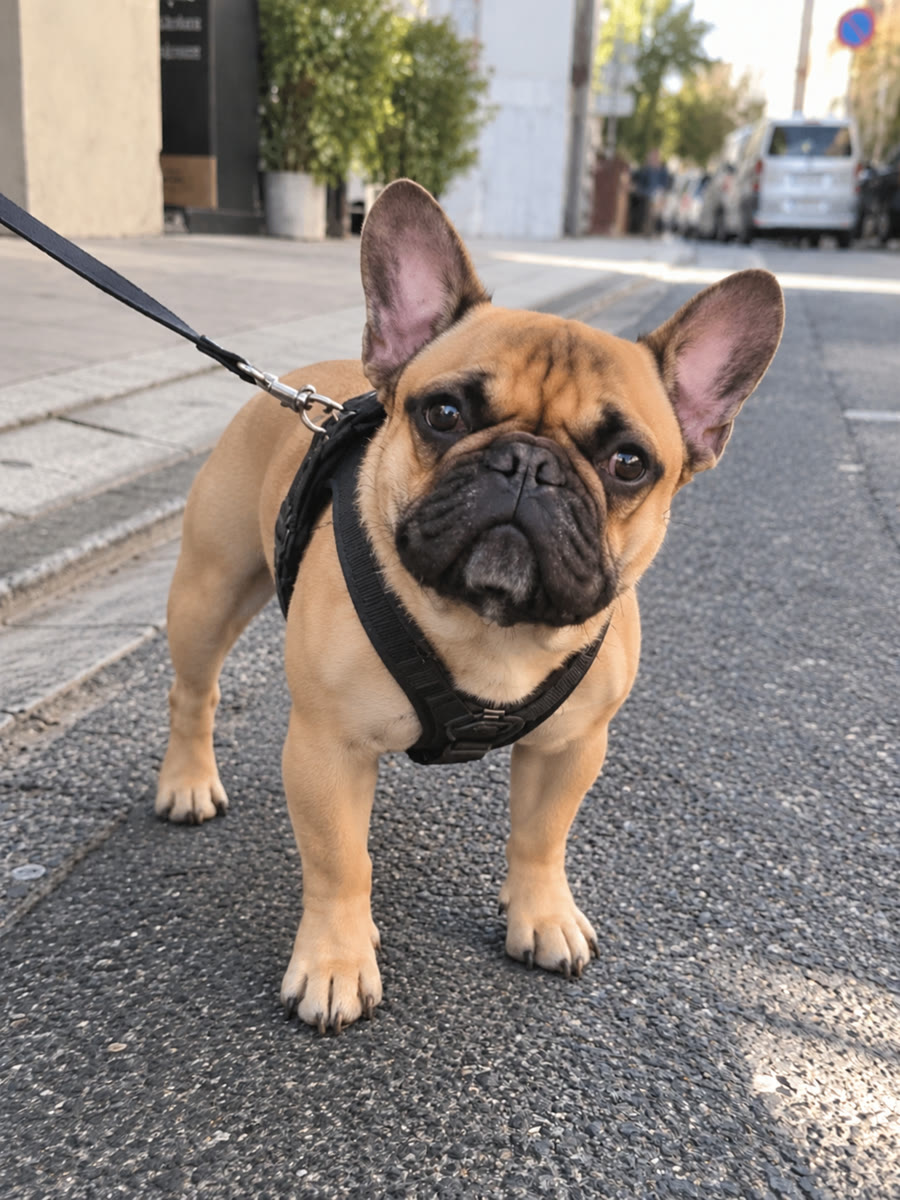
This page uses the existing French bulldog photo and full 11-second landscape video with sound. See the current studio format and prices below.
What is the Hit the Road Dude dog version?
It is a pet remake of the pickup-window exchange: your dog becomes the serious driver who wants the visitor to leave. The humor comes from a familiar dog guarding its territory. The studio uses your photo to guide the dog character, rather than asking you to film your dog in a real vehicle or upload the original TikTok.
Choose a dog photo that shows what makes your dog recognizable
Use a sharp photo with the eyes, ears, muzzle and coat markings visible. For a short-muzzled dog, keep the whole face in view; for floppy ears or long fur, avoid cropping the identifying outline. A front or slight three-quarter view with some chest is a useful starting point. Pick one dog, in even light, without a toy covering the mouth. JPG, PNG and WebP files up to 20 MB are supported.
Make your dog’s video in three steps
Open the studio, sign in with Google or email and select your dog photo. Your first Google sign-in creates an account. Pay for a one-time pack with Stripe, then follow the generation in My videos. When the result is ready, watch and download it from your account. You do not need to write a prompt or find a reference video.
Check the format and price before starting
The current studio product targets approximately 15 seconds, 480p, portrait 9:16, in an MP4 with sound. One video is $5.99 USD; three are $14.99 and five are $22.99. These are one-time packs without automatic renewal. Use the pricing page for the current purchase and delivery details.
Questions about making the dog version
Does it work with a French bulldog, retriever or another breed?
You can choose a clear dog photo. Distinctive ears, muzzle and coat help define the character. Results vary, and a published bulldog example is not a guarantee for every breed or photo.
Can I use a photo with two dogs?
Choose a photo of one dog for this workflow. If your only photo has several animals, prepare a crop that clearly isolates the dog you want before selecting it.
Is the dog version a CapCut template?
This studio creates a new pet scene from one photo. A CapCut template is a separate editing workflow with its own editable media slots. The comparison guide explains how to choose between them.